

Managing Multiple RFQs: Best Practices for Efficiency and Organization
Introduction: Effective procurement procedures are essential for preserving cost control, ensuring quality, and building strong supplier relationships in the competitive corporate world of today. Software for requesting quotes (RFQs) is a useful tool that can greatly enhance your procurement strategy. In this blog post, we will discuss how to manage multiple RFQs and what the best practices are for efficiency. And we will learn how we can achieve 77% accuracy and save 45% more time than before.
Managing Multiple RFQs: Best Practices for Efficiency and Organization: If not handled appropriately, managing several Requests for Quotation (RFQs) at once can easily become too much to handle. Businesses run the danger of delays, mistakes, or lost opportunities when they don’t have a systematic approach. The following best practices will guarantee efficiency and simplify RFQ management:
- Centralize RFQ Data: To keep all the RFQs in one location, use a digital platform or document management system. Maintain version control to make tracking updates and responses simple.
- Standardize RFQ Templates: Create consistent templates for RFQ requests, assessment criteria, and comparative letters. This facilitates rapid side-by-side comparisons and cuts down on formatting time.
- Prioritize and Categorize: Determine the high, medium, and low priority levels according to the project’s worth and timeline. Short RFQs by supplier, product type, or area to expedite the sorting and decision-making process.
- Automate Tracking and Notifications: To remind people about the due dates for submissions, use RFQ management software. To verify receipt, ask for clarification, or follow up, automate communications with suppliers.
- Define Clear Evaluation Criteria: Set up grading standards for things like cost, quality, lead time, and supplier dependability. To guarantee uniformity and openness, record the evaluation procedure.
- Collaborate Across Teams: Participate in the RFQ review process with the engineering, finance, procurement, and quality teams. To prevent any anomalies, make use of collaborative tools like shared dashboards.
- Maintain Supplier Database: Keep current records of previous RFQ answers, supplier performance, and compliance status. For recurrent RFQs, this history speeds up the decision-making process.
- Regularly Review and Optimize: Examine past RFQ cycles to find bottlenecks. Make constant improvements to workflows, templates, and supplier engagement tactics.
Case study on how an organization benefits from managing multiple RFQs.
A mid-sized IT hardware and services company frequently procured components like servers, networking equipment, and software licenses. With rapid growth and multiple ongoing projects, the procurement team was overwhelmed by managing dozens of RFQs simultaneously.
Challenges:
- Manual RFQ tracking via spreadsheets led to missed deadlines and duplicate requests.
- Inconsistent templates confused vendors.
- Delayed evaluations due to a lack of centralized data.
- Poor vendor communication results in fewer responses and longer lead times.
After implementing the SmartRFQ solution:
- 30% faster RFQ turnaround time: due to automation and centralized tracking.
- Achieved accuracy: The company achieved 77% accuracy through implementation.
- Cycle Time Reduction: Procurement cycle reduced by 45% (from 10 days to 6 days).
- 25% increase in vendor response rate: thanks to clearer templates and better communication.
- 15% cost savings: through competitive bidding and better quote comparisons.
The importance of centralizing RFQ data for better visibility and decision-making.
Centralizing Request for Quotation (RFQ) data is crucial for improving visibility and decision-making in procurement and supply chain management. Here’s why it’s so important:
- Centralized RFQ data ensures all stakeholders have access to the same, up-to-date information.
- Teams can monitor the status of RFQs, supplier responses, and pricing trends in real time.
- Finance, procurement, and operations can collaborate more effectively with shared data.
- Historical RFQ data helps identify the best suppliers based on price, quality, and delivery performance.
- Spot cost fluctuations, seasonal pricing, or supplier reliability issues.
- Early detection of supply chain risks through patterns in supplier behaviour or response times.
- Centralized systems can automate RFQ creation, distribution, and evaluation.
- Streamlined workflows lead to quicker supplier selection and procurement cycles.
- Ensures adherence to procurement policies and industry regulations.
- Simplifies internal and external audits with complete documentation.
Conclusion: Sending and receiving quotations is only one aspect of effective RFQ administration; another is creating a methodical, open, and cooperative procedure. By centralizing data, standardizing templates, employing automation, and maintaining excellent communication, procurement teams can manage multiple RFQs with more accuracy and speed. In the end, these procedures result in improved vendor relations, financial savings, and wise buying choices.
End with a clear next step: Are you ready to upgrade your RFQ Management processes and take your business to new heights? Contact Smart Factory Solutions today and learn how we can be tailored to meet your specific needs. Our team is eager to provide personalized recommendations and demonstrate how our solutions can move your business forward. Contact us now and take the first step toward achieving exceptional quality and customer satisfaction.
How to Implement a Document Management System: A Step-by-Step Guide
Introduction: Today’s corporate world is fast-paced, and information moves quickly and often changes at the same pace. For this reason, document version control is not just a practical technology but also a crucial part of any business’s information policy. Massive data sets can be challenging to handle. If disregarded, it may lead to misunderstandings, unnecessary work, and even security risks. Today, we will learn how to implement a document management system with a step-by-step guide in this blog.
Step-by-Step Guide to Implementing a Document Management System: Here’s a step-by-step guide to help you implement a document management system (DMS) effectively:
- Assess Your Needs: Determine the difficulties associated with documents (e.g., storage, version control, compliance). Establish objectives, such as improved access, less manual labour, security, or adherence to regulations. Determine the problems with the way you now handle documents. Identify the workflows and document types that are involved.
- Build a Project Team: Include stakeholders from IT, legal, operations, and end-user departments. Assign roles: project manager, technical lead, and user training coordinator.
- Choose the Right DMS: Choose the right DMS software that meets your requirements, such as:
- Cloud vs. on-premises
- Scalability and user-friendliness
- Consider features like:
- Document indexing and search
- Version control
- Access permissions
- Integration with existing tools.
- Compare vendors and request demos or trials.
- Plan Implementation: Make a thorough plan with deadlines and completion points. Assign the following positions: end-user trainers, project manager, IT lead, and data migration team. Describe the taxonomy of documents and folder structures.
- Prepare Your Data: Examine current papers (get rid of old files and duplicates). Standardise naming standards and file formats. To cut down on errors, move documents into the new system in batches.
- Configure the System: Configure access controls and user roles. After that, modify approval procedures and workflows. If necessary, integrate with other systems.
- Train Employees: Educate them about document sharing, uploading, and searching. Provide FAQs and fast reference guides. Explain the advantages (time savings, compliance) to overcome objections.
- Monitor and Improve: Track system performance (accuracy of searches, speed, and uptime). Examine compliance and audit trails on a regular basis. Get user input to make improvements over time.
Case studies on what organizations gain after implementing the smart document management software.
Organizations gain significant efficiency, cost savings, productivity, compliance, and security enhancements after implementing smart document management software, as demonstrated by multiple real-world case studies across different industries.
Gains After Implementation:
- 80% Reduction in Document Search Time: AI-powered search allowed staff to find any document or clause in seconds using natural language queries instead of navigating complex folder structures.
- 37% Faster Processes: Eliminate manual searches and streamline workflows.
- 20% Cost Savings: Cut down on unnecessary storage and printing expenses.
- 70% Reduction in Errors: After implementing DMS, there will be a huge reduction in errors in the organization.
Tips for overcoming common challenges in document management system implementation.
Here are some practical tips for overcoming common challenges in document management system (DMS) implementation:
- Conduct training and awareness sessions early. Highlight how the DMS saves time, reduces manual effort, and makes collaboration easier. Appoint “change champions” to encourage adoption.
- Choose a user-friendly system with simple navigation. Start with a pilot group, gather feedback, and refine processes before rolling out company-wide.
- Clean and categorize documents before migration. Use metadata and consistent naming conventions. Test migration in phases to avoid data loss.
- Select a DMS that supports APIs and integrates smoothly with ERP, CRM, or project management tools. Involve IT teams during planning to avoid compatibility issues.
- Define access controls and user permissions carefully. Ensure the DMS complies with industry regulations (e.g., ISO, GDPR). Regularly audit and update security policies.
- Map out document lifecycles and approval workflows before setup. Automate repetitive tasks like versioning, approvals, and notifications.
- Choose a cloud-based or hybrid DMS that grows with your organization. Plan storage, user licenses, and features for long-term needs.
- Prioritize essential features first. opt for a phased rollout to spread costs. Compare SaaS vs. on-premises to find the most cost-effective option.
- Provide role-based training materials, video tutorials, and FAQs. Offer ongoing support through helpdesks or knowledge bases.
- Assign a dedicated DMS administrator or team responsible for governance, updates, and user support.
Conclusion: Putting in place a document management system involves more than just installing software; it involves changing the way your company manages data. A simplified, safe, and legal document management process can be attained by taking a methodical approach that includes needs analysis, platform selection, information architecture design, data migration, user training, and ongoing improvement. In addition to saving time and lowering physical labour, a well-implemented DMS fosters teamwork and promotes sustained company expansion.
End with a clear next step: Are you ready to upgrade your document management processes and take your business to new heights? Contact Smart Factory Solutions today and learn how we can tailor it to meet your specific needs. Our team is eager to provide personalized recommendations and demonstrate how our solutions can move your business forward. Contact us now and take the first step toward achieving exceptional quality and customer satisfaction.
The Importance of Stakeholder Management in Project Success.
Introduction: Project management is a professional field that involves planning, executing, and supervising projects to achieve goals and objectives within a predetermined budget and timetable. Its fundamental nature determines the technologies employed in the project. However, the planning, execution, and monitoring of a project always define its outcome; this is where project management software comes into play. In this blog, we will understand the importance of stakeholder management.
Importance of Stakeholder Management in Project Success: One of the most important elements in guaranteeing project success is efficient stakeholder management. Clients, team members, investors, suppliers, regulators, and end users are examples of stakeholders who have a direct or indirect impact on a project’s outcome. Effective management guarantees alignment, lowers risks, and fosters enduring trust.
- Alignment of Expectations: By ensuring that stakeholders’ requirements, objectives, and concerns are properly recognised and addressed, proper engagement helps to avoid misunderstandings and disputes.
- Better Decision-Making: Stakeholders bring valuable insights, expertise, and resources that can help in identifying risks, setting priorities, and making informed project decisions.
- Stronger Collaboration: Good communication fosters trust, encourages feedback, and promotes teamwork across departments. Regular updates and feedback loops build trust, keep stakeholders informed, and prevent last-minute surprises.
- Resource & Support Availability: When problems develop, involved stakeholders are more inclined to support the project and offer financial, technical, or human resources. Feeling involved increases the likelihood that stakeholders will support project decisions and supply the resources required.
- Risk Mitigation: Identifying and managing stakeholder concerns early helps avoid resistance, delays, or scope changes later in the project lifecycle. Projects with strong stakeholder buy-in are more likely to be delivered on time, within budget, and with the desired outcomes.
- Project Acceptance: When stakeholders feel involved and valued, they are more likely to support the outcomes and ensure smooth adoption of project deliverables.
The case study is based on how organizations are using project management software to manage Stakeholders.
Challenge: A company has many projects, and they are facing a problem in managing complex, scalable projects with multiple stakeholders.
Solution: Adopted Smart PMS for better coordination.
Outcomes: After implementing our smart PM software solution, they improved transparency and accountability across departments.
- Efficiency: 35% improvement in project efficiency.
- Deliveries: 25% more on-time deliveries.
- Overcome Procrastination: 30% fewer delays.
Best practices for creating effective stakeholder communication plans.
Creating an effective stakeholder communication plan is essential for project success. Here are the best practices to follow:
- Identify and Prioritize Stakeholders: Arrange the stakeholders according to their interest and influence. Determine who requires high-level summaries versus in-depth updates.
- Define Communication Objectives: Clearly state the goals of the communication (educate, consult, engage, obtain approval). Sync communication objectives with project results. For instance, team members require thorough updates, whereas executives could require high-level summaries.
- Choose the Right Communication Channels: Use the right channel for each stakeholder (emails, meetings, dashboards, reports). Adjust tone and detail to match the needs of stakeholders.
- Establish Frequency and Cadence: Establish a regular timetable that includes milestone reviews, monthly reports, and weekly updates. Avoid overburden by striking a balance between frequency and keeping stakeholders informed.
- Ensure Transparency and Accuracy: Communicate changes, risks, and progress openly and in real-time. Instead of making assumptions, offer data-driven insights.
- Encourage Two-Way Communication: Allow interested parties to voice their concerns, offer comments, and pose questions. To get feedback, use questionnaires, feedback forms, or teamwork tools.
- Document and Track Communication: Document stakeholder interactions, comments, and choices. Utilise project management software to ensure responsibility and clarity.
- Adapt and Improve: Keep an eye on how well the communication strategy is working. Be adaptable and change tactics in response to input and project conditions.
Conclusion: Stakeholder management is a key factor in project success rather than merely a supporting function. Organisations can reduce risks, increase support, and guarantee that the project provides long-term value by coordinating stakeholder interests, resolving issues, and keeping lines of communication open.
End with a clear next step: Are you ready to upgrade your Project Management processes and take your business to new heights? Contact Smart Factory Solutions today and learn how we can be tailored to meet your specific needs. Our team is eager to provide personalized recommendations and demonstrate how our solutions can move your business forward. Contact us now and take the first step toward achieving exceptional quality and customer satisfaction.
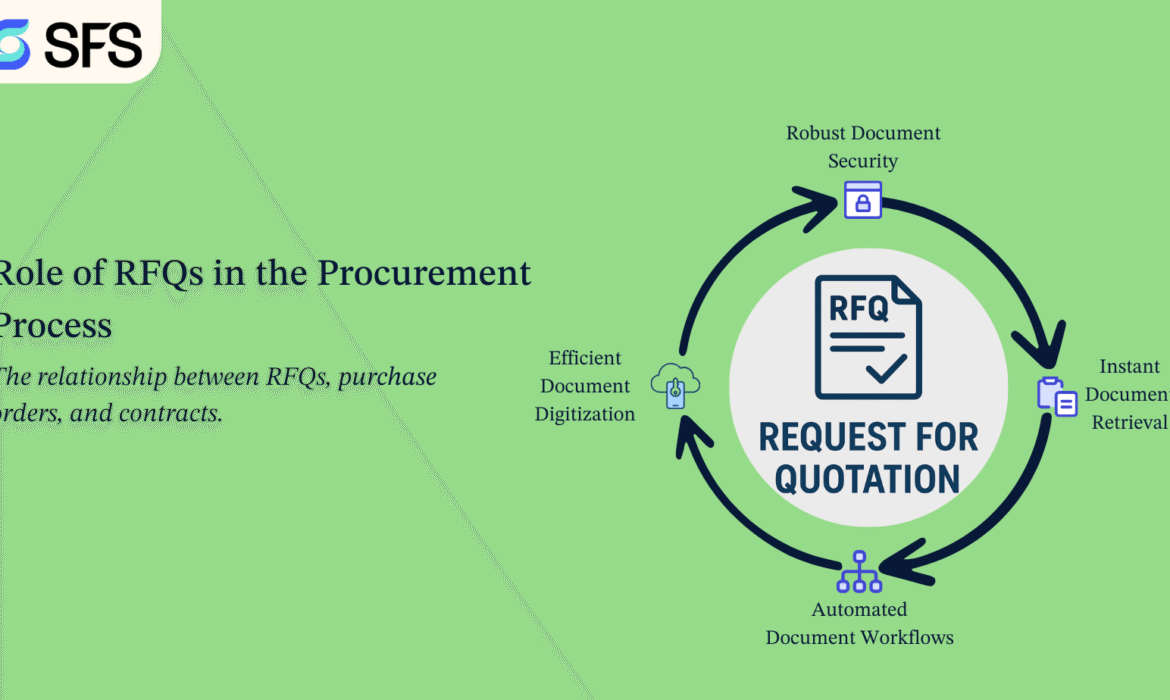
The Role of RFQs in the Procurement Process: From Request to Purchase Order.
Introduction: In today’s cutthroat business environment, maintaining cost control, guaranteeing quality, and cultivating solid supplier relationships all depend on efficient procurement practices. Requesting quotations (RFQ) software is a helpful tool that can significantly improve your procurement approach. In this blog post, we will discuss the role of RFQ in the procurement process from request to purchase order. And we will learn how we can achieve 77% accuracy and save 45% more time than before.
The Role of RFQs in the Procurement Process: From Request to Purchase Order:
A Request for Quotation (RFQ) is a critical step in the procurement cycle, bridging the gap between identifying a need and formalizing a purchase order. It ensures organizations acquire goods or services at the best possible terms while maintaining transparency and competitiveness.
- Initiation of the RFQ software: A specific requirement for goods or services is determined by the procurement team. Technical specifications, quantities, quality standards, delivery schedules, and terms are all included in an RFQ form. To request competitive pricing, the RFQ is issued to qualified and shortlisted vendors.
- Supplier Response and Evaluation: Quotes from suppliers include comprehensive pricing breakdowns, lead times, and requirement compliance. Responses are assessed by the procurement team based on vendor capability, pricing, quality, and delivery dependability. A comparison analysis guarantees unbiased decision-making, frequently through a bid tabulation or supplier scorecard.
- Negotiation & Clarification: Terms, including delivery dates, payment schedules, and warranty conditions, may be negotiated by procurement specialists. Technical or commercial clarifications guarantee supplier and buyer alignment.
- Supplier Selection: The most appropriate supplier is chosen based on the results of the evaluation and negotiations. To guarantee adherence to corporate policies, this phase may require internal approvals from the management, legal, or finance departments.
- Conversion to Purchase Order (PO): The RFQ is transformed into a formal Purchase Order (PO) after the supplier has been chosen. Both parties are legally bound by the PO, which specifies the quantity, price, delivery date, and contractual duties. At this point, the quotation turns into a transaction.
- Benefits of RFQs in Procurement: The advantages of Request for Quote (RFQs) software in procurement are:
- Encourages competitive pricing.
- Enhances transparency and fairness in supplier selection.
- Reduces procurement risks by ensuring suppliers meet specifications.
- Provides a clear audit trail for compliance and accountability.
Case study on the role of RFQ tool in the procurement process from request to purchase order.
A medium-sized company that manufactures vehicle parts. Their procurement team encountered delays and mistakes when manually managing supplier quotations due to rising demand and an expanding supplier base.
Implementation of Smart RFQ Tool: The organization adopted the Smart RFQ tool that automated the end-to-end procurement process.
- Achieved accuracy: The company achieved 77 % accuracy through implementation.
- Cycle Time Reduction: Procurement cycle reduced by 45% (from 10 days to 6 days).
- Cost Savings: Achieved 8% cost reduction by easily comparing supplier quotations.
- Supplier Relationship: Improved transparency and faster communication with suppliers.
The relationship between RFQs, purchase orders, and contracts.
Request for Quotation (RFQ):
- Purpose: An RFQ is a sourcing method used to solicit suppliers’ terms, prices, and availability information for specific products or services.
- Nature: This is a request for information and pricing, and it is not legally binding.
- Outcome: Helps the buyer compare suppliers and decide who to award the business to.
Purchase Order (PO):
- Purpose: A purchase order (PO) is an official offer to buy products or services from a provider at the predetermined cost, quantity, and delivery conditions.
- Nature: When accepted by the supplier, it becomes a legally binding document.
- Outcome: Gives the buyer permission to pay and the provider permission to deliver products or services.
Contracts:
- Purpose: A contract is a detailed agreement that outlines the buyer-supplier’s larger business relationship. Service standards, delivery schedules, fines, privacy, and dispute settlement are a few examples.
- Nature: Legally enforceable, encompassing strategic or long-term purchases (not just one-time purchases).
- Outcome: Provides a framework under which multiple POs may be issued.
Relationship:
- RFQ → helps identify the best supplier.
- PO → executes the purchase based on that quote.
- Contract → governs the overall relationship (especially for repeated or large-scale purchases).
Conclusion: The adoption of an RFQ tool transformed ABC Manufacturing’s procurement process from a manual, time-consuming activity to a streamlined, transparent, and cost-efficient workflow. By automating the journey from request to purchase order, the company gained better supplier collaboration, improved compliance, and faster decision-making – ultimately supporting production efficiency and business growth.
End with a clear next step: Are you ready to upgrade your RFQ Management processes and take your business to new heights? Contact Smart Factory Solutions today and learn how we can be tailored to meet your specific needs. Our team is eager to provide personalized recommendations and demonstrate how our solutions can move your business forward. Contact us now and take the first step toward achieving exceptional quality and customer satisfaction.
Document Version Control: Why It’s Crucial for Your Business.
Introduction: Information moves swiftly in the fast-paced corporate world of today, and it frequently changes at the same rate. Because of this, document version control is not just a useful technology but also an essential component of any company’s information management plan. Handling massive volumes of data can be difficult. It can result in confusion, wasted effort, and possible security issues if left ignored.
What is Document Version Control? Document version control is the system of managing changes to documents by tracking different versions over time. This includes labelling each version, identifying who made changes, when changes were made, and what exactly was altered.
Why Is It Important?
- Reduces errors and miscommunication: Employees may inadvertently work on out-of-date documents if there is no clear version history, which could result in expensive errors or redundant work. Everyone is essentially on the same page thanks to version control.
- Improves Collaboration: Version control enables any team member working on a document to view changes in real-time or roll back to previous iterations if needed. This promotes seamless cooperation, even between divisions or locations.
- Maintains Compliance and Audit Trails: Strict documentation is necessary for regulatory compliance in many businesses. A robust version control system preserves an open record of modifications, a crucial audit trail that can assist in adhering to regulatory or business requirements.
- Supports Knowledge Retention: Version-controlled documents maintain the development of rules, procedures, and strategies even when employees come and depart. This guarantees that over time, institutional knowledge won’t be lost.
- Saves Time: Rather than wasting time searching for the “right” version or redoing work, employees can access the most current, approved document instantly. This increases efficiency and productivity.
Case studies on how organizations manage document version control with smart document management software.
Challenge: A manufacturing company. The inability of more than 200 users to locate and organise CAD designs and manufacturing documentation across several servers led to out-of-date versions and production problems.
Solution: Smart document management tool control system is implemented to simplify access, get the right version, and reduce paper usage and printing costs.
Results:
- 37% Faster Processes: Eliminate manual searches and streamline workflows.
- 70% Reduction in Errors.
- 20% Cost Savings: Cut down on unnecessary storage and printing expenses.
- Issue cycle reduced from roughly 1 hour to 10 minutes, even when releasing batches of documents.
The challenges of managing multiple document versions and how DMS solves them.
Managing several document versions can become more problematic than a printer clog at a crucial meeting.
The difficulties and how a Document Management System (DMS) can eliminate them -or at least make them behave themselves – are broken down here.
Challenges of Managing Multiple Document Versions:
- Team members might work on outdated files or mix up the latest version with an older draft.
- Important information from earlier iterations may be overwritten by fresh edits if version control is not implemented properly.
- Recovering accidentally deleted or replaced content can be time-consuming or impossible.
- Multiple people editing different copies leads to duplication of work and conflicting changes.
- Merging edits manually increases the chance of errors.
- It’s hard to track who made which changes and when.
- For sectors that rely heavily on compliance, this can be a major problem because accountability and audit trails suffer.
- Having several copies spread across shared folders, desktop computers, and email attachments wastes space and makes searching difficult.
How a DMS Solves These Challenges:
- The DMS maintains access to older versions of documents while storing the most recent version whenever a document is modified.
- You can easily revert to an earlier version if needed.
- Metadata (editor name, timestamp, change summary) is stored alongside each version, eliminating guesswork.
- All documents live in a single, organized repository, accessible to authorized users from anywhere.
- Everyone works on the same “single source of truth.
- Features like check-in/check-out, simultaneous editing, and real-time commenting reduce conflicts and duplication.
- Full history logs help meet regulatory requirements and maintain accountability.
- Old versions are archived efficiently, preventing multiple random copies from eating up space.
Conclusion: Implementing document version control is crucial for reducing risk, increasing productivity, and maintaining competitiveness, regardless of the size of your business. It shields your company from misunderstandings, legal problems, and inefficiencies, freeing up your workers to concentrate on what really counts: expansion and creativity.
End with a clear next step: Are you ready to upgrade your document management processes and take your business to new heights? Contact Smart Factory Solutions today and learn how we can tailor it to meet your specific needs. Our team is eager to provide personalized recommendations and demonstrate how our solutions can move your business forward. Contact us now and take the first step toward achieving exceptional quality and customer satisfaction.
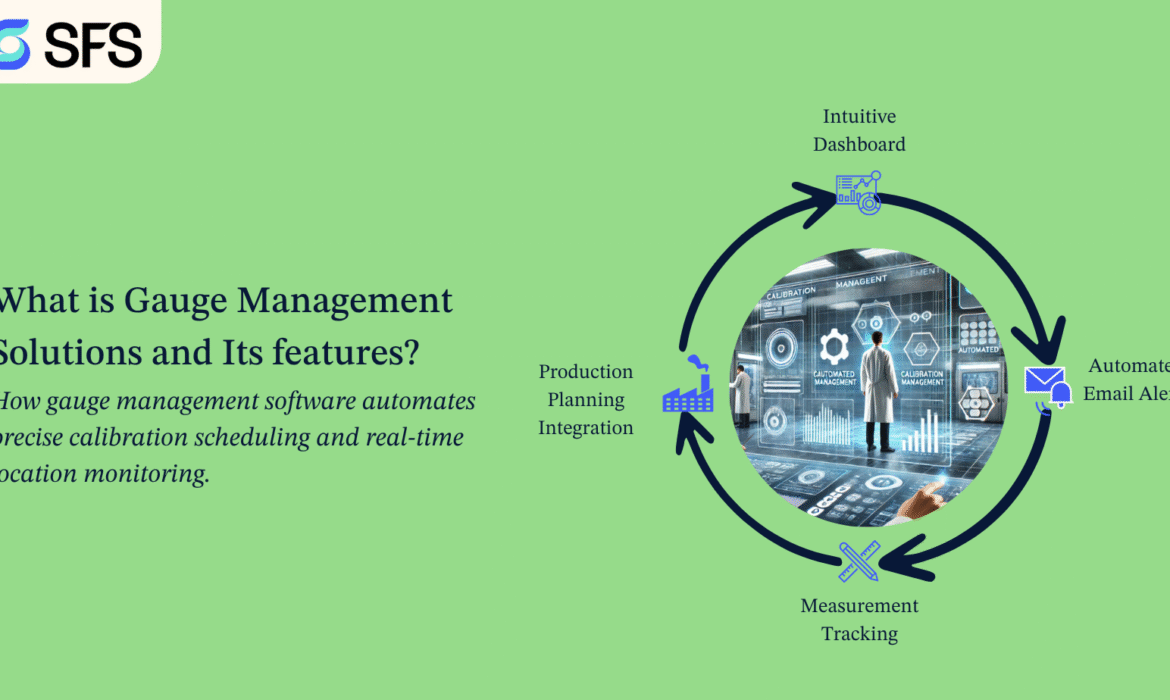
What is Gauge Management Solutions and Its features?
Introduction: In the world of production, accuracy is essential. In this case, preserving product quality, adhering to legal requirements, and avoiding expensive errors all depend on tool calibration. Gauge management software is useful in this situation.
Fundamentally, the intricate process of monitoring, adjusting, and maintaining gauges, instruments, and machinery is made simpler by gauge management software. It lowers the possibility of product flaws or downtime by guaranteeing that each tool operates in accordance with its specifications.
What is Gauge Management Solutions: In a production or quality control setting, gauge management solutions are a system or collection of tools used to regulate measuring devices (gauges). These solutions aid in making sure that all gauges and measuring tools are utilised in accordance with standards and are correctly calibrated, maintained, and tracked.
Feature of Smart Gauge Management Solution:
- Intuitive Dashboard: A thorough summary of the gauge data for every tool is given via the user-friendly dashboard. By keeping all important information in one location it makes monitoring easier and makes it simple for users to keep track of maintenance records, tool usage, and calibration schedules. Because of this transparency, producers can make well-informed decisions and move quickly when needed, which guarantees more efficient and seamless operations.
- Customizable Calibration Intervals: Every manufacturing setting has different requirements. Therefore, Gage management software adapts calibration periods accordingly. This flexibility guarantees that instruments are calibrated when necessary—neither too early nor too late—regardless of whether it is based on the quantity of measurements a tool has completed, a predetermined time frame, or a particular usage threshold.
- Automated Email Alerts: The automated email alert system is one of its primary features. You won’t ever miss a calibration deadline thanks to this function. These notifications help to avoid equipment failures or compliance violations by informing users of impending or past-due calibrations. Information about each tool’s current position is another feature of these tools.
- Real-time Insights: Teams can manage tool health, keep an eye on important performance parameters, and anticipate possible problems with the help of the software’s real-time insights and analytics features. Proactive decision-making is made possible by having this data easily accessible. These characteristics are crucial for preserving productivity, cutting down on downtime, and prolonging tool life.
- Data Analytics and Reporting: Manufacturers can learn a lot about their gauge management operations thanks to this functionality. Users can find trends, inefficiencies, and places for development by using the program, which gathers and analyzes data from calibration operations, tool usage, and performance.
The case study describes how organizations are using gauge management software to manage accuracy, errors, and monitoring to create production quality.
An automobile manufacturer with a focus on producing precise vehicle components. The company utilizes hundreds of gauges, micrometers, and calibration tools across several divisions, remaining steadfast in its commitment to product quality and IATF 16949 compliance. This automobile company is facing some challenges.
- Manual tracking of gauge calibration due dates.
- Missed calibration schedules leading to production errors.
- Difficulty tracing gauge usage and error trends.
- Non-compliance during audits due to a lack of traceability and documentation.
Key results of using the Smart Gauge Management Software process:
✅ 35% reduction in gauge-related production errors.
✅ 100% on-time calibration compliance.
✅ 20% increase in production quality scores.
✅ 30% reduction in downtime and increased operational efficiency.
How gauge management software automates precise calibration scheduling and real-time location monitoring.
Through sophisticated workflows and integrated digital tools, gauge management software automates accurate calibration scheduling and real-time location monitoring. This is how it operates:
Automated Calibration Scheduling: Gauge management software automatically schedules and manages future calibrations using past data and predetermined calibration intervals:
- Centralized Calibration Calendar: Maintains a complete schedule of calibration dates, frequencies, and deadlines for all instruments.
- Automatic Alerts and Notifications: end reminders to responsible personnel before calibration due dates to avoid missed schedules.
- Rule-based Triggers: Adjusts calibration intervals dynamically based on usage patterns, past errors, or wear and tear.
- Compliance Tracking: Ensures calibration meets industry standards (like ISO 9001, IATF 16949) by maintaining audit-ready records.
Real-Time Location Monitoring: The program allows gauges and instruments to be tracked in real time by combining with IoT, RFID, GPS, or barcode technologies:
- Live Asset Mapping: Displays the exact location of gauges within a facility (e.g., workshop, calibration lab, production line).
- Geo-tagging & Movement Logs: Tracks when and where each tool is moved, used, or calibrated.
- Misplacement Alerts: Sends alerts if a gauge is taken outside designated zones or isn’t returned after use.
- Audit Trail: Maintains a historical log of each gauge’s movement and usage for traceability.
Conclusion: An automobile company’s quality assurance was revolutionised by gauge management software, which increased accuracy, decreased human error, and made proactive monitoring possible. In a highly regulated and precision-focused industry, the solution proved crucial as it yielded quantifiable improvements in both product quality and operating efficiency.
End with a clear next step: Are you ready to upgrade your Gauge Management processes and take your business to new heights? Contact Smart Factory Solutions today and learn how we can be tailored to meet your specific needs. Our team is eager to provide personalized recommendations and demonstrate how our solutions can move your business forward. Contact us now and take the first step toward achieving exceptional quality and customer satisfaction.

Explore How Gage Management Software Enhances Precision
In the manufacturing landscape, precision is a necessity. Here, tool calibration is essential for maintaining product quality, meeting regulatory standards, and avoiding costly mistakes. This is where gage management software becomes invaluable.
At its core, gage management software simplifies the complex process of tracking, calibrating, and maintaining gages, instruments, and machinery. It ensures that every tool performs to its specifications, reducing the risk of product defects or downtime.
Why Gage Management Solution is Important
1. Accuracy and Precision: Regular calibration ensures that measurement instruments and gages provide accurate results. This software helps maintain the precision of equipment, which is critical for quality control in manufacturing processes.
2. Compliance with Standards: Industries like automotive, aerospace, healthcare, and others must adhere to strict quality and safety standards (e.g., ISO, FDA). Gage management software ensures equipment is calibrated and maintained according to these regulations, avoiding non-compliance risks.
3. Error Reduction: Improperly calibrated or poorly maintained equipment can lead to faulty measurements, errors in production, and product defects. The software helps automate calibration schedules and tracking to prevent such costly mistakes.
4. Operational Efficiency: Automating the calibration process and tracking maintenance history saves time and reduces manual labor. It streamlines operations by preventing unexpected equipment failures, leading to less downtime and improved productivity.
5. Audit Preparedness: The software provides detailed logs and reports on calibration and maintenance activities. This is essential for passing audits, whether internal or from external regulatory bodies.
6. Cost Savings: By ensuring that equipment is properly calibrated and maintained, businesses can extend the life of their tools, avoid breakdowns, and reduce rework costs due to faulty measurements.
Features of Smart Gage Management Solution
In an environment where errors can be costly, useful features of gage management software offer a structured approach. It ensures that tools are always ready, accurate, and reliable, helping manufacturers avoid the pitfalls of poorly maintained equipment and fostering a culture of operational excellence. Some of the significant features are:
1. Intuitive Dashboard
The intuitive dashboard provides a comprehensive overview of the gauge information for each tool. It simplifies monitoring by centralizing all critical data in one place, allowing users to easily track calibration schedules, tool usage, and maintenance history. This transparency enables manufacturers to make informed decisions and take immediate action when necessary, ensuring smoother operations and increased efficiency.
2. Customizable Calibration Intervals
Every manufacturing environment has unique needs. Therefore, Gage management software tailors calibration intervals accordingly. Whether it’s based on the number of measurements a tool has performed, a set time, or a specific usage threshold, this flexibility ensures that tools are calibrated when needed—neither too early nor too late.
3. Automated Email Alerts
One of the key features is the automated email alert system. This feature ensures that you never miss a calibration deadline. These alerts notify users of upcoming or overdue calibrations, helping to prevent compliance breaches or equipment failures due to missed calibration. Another aspect of these tools is that they provide information on the current location of each tool. It streamlines the calibration management process and reduces the risk of error.
4. Measurement Tracking
Measurement tracking capabilities allow manufacturers to record, store, and analyze measurements taken by each tool. This feature not only aids in ensuring the accuracy of tools over time but also provides a historical record of each gage’s performance. In the event of an audit or investigation into product quality, manufacturers can easily access and present detailed measurement data.
5. Production Planning Integration
Seamlessly integrating Gage management into production planning is crucial for minimizing downtime and maintaining an uninterrupted workflow. The software allows manufacturers to align calibration and maintenance schedules with their production processes. Such features ensure that tools are available and calibrated when needed. This integration improves operational efficiency and reduces the likelihood of unexpected interruptions due to tool unavailability or malfunction.
6. Reporting and Certification
Gage management software streamlines the process of generating detailed reports and calibration certificates. Whether for internal audits, external inspections, or regulatory compliance, these reports are crucial for documenting calibration history, tool performance, and compliance with industry standards. The software automates the reporting process, making it easier to maintain comprehensive records without manual intervention.
7. Real-time Insights
Real-time insights with the software’s analytics capabilities allow teams to monitor key performance metrics, track tool health, and stay ahead of potential issues. Having this data readily available enables proactive decision-making. Such features are essential for maintaining efficiency, reducing downtime, and extending the life of tools.
8. Data Analytics and Reporting
This feature allows manufacturers to gain valuable insights into their gage management operations. The software collects and analyzes data from calibration activities, tool usage, and performance, enabling users to identify trends, inefficiencies, and areas for improvement. This analytical data can be used for internal reviews or external audits, helping decision-makers understand their equipment’s health and make data-driven decisions to improve operational efficiency and tool accuracy.
9. Automated Calibration Alerts
Automated calibration alerts are essential for ensuring that no calibration deadlines are missed. The system sends timely notifications via email or in-app alerts, reminding teams when equipment is due for calibration or maintenance. These alerts help maintain compliance with regulatory standards and prevent the use of out-of-calibration tools, which could lead to production errors or quality issues.
10. Integration Capabilities
Gage Management software integrates seamlessly with other systems used in manufacturing, such as ERP (Enterprise Resource Planning), MES (Manufacturing Execution System), and CMMS (Computerized Maintenance Management System). This integration allows manufacturers to synchronize gage management with other processes like production planning, inventory control, and maintenance scheduling.
By leveraging these features, manufacturers can streamline their calibration management processes, reduce the risk of errors, improve compliance, and optimize overall productivity.
Key Benefits of Smart Gage Management
1. Increase in Productivity
Automate and streamline the gage management process, reducing manual tasks and saving time across the organization.
2. More Accuracy
Maintain precise measurements and uphold strict quality standards by ensuring the timely calibration of all tools.
3. Cost-Benefit
Optimize the allocation of resources, reduce tool downtime, and lower expenses associated with equipment maintenance and management.
4. Smooth Compliance
Stay fully compliant with industry regulations by automating calibration schedules and maintaining accurate, up-to-date records.
5. Centralized Data
Access all gage-related information in one organized location, making it easier to track, manage, and retrieve data.
6. Customizable Reports
Generate detailed, tailored reports that provide insights into gauge performance, calibration history, and overall tool efficiency.
7. Preventive Measures
Identify potential maintenance needs before they become critical issues, helping to prevent unexpected equipment failures and downtime.
8. Easy Traceability
Track the complete history, location, and usage of each gauge with ease, ensuring full traceability for audits or inspections.
The above benefits and need for gage tracking software are self-explanatory. The integration of smart gage management solutions can add a large number of benefits. Here, Gage Management Solution can be a big support.
Conclusion
For industries where precision dictates success, this Gage Management Solution doesn’t just improve workflow; it becomes a foundation for reliability and consistency. Automated reminders, accurate data logging, and compliance tracking provide peace of mind that equipment is not only functioning as expected but also fully compliant with industry regulations. Reach out to our team and book a demo with our experts.
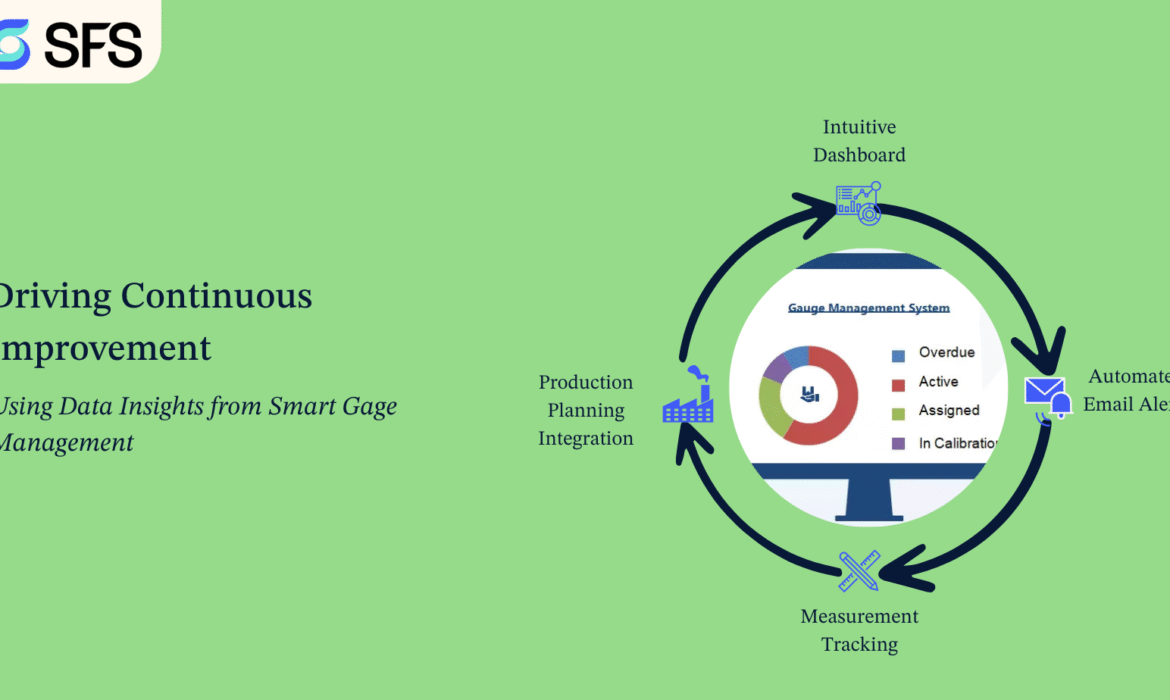
Driving Continuous Improvement: Using Data Insights from Smart Gage Management
In today’s competitive business landscape, organizations strive for continuous improvement to enhance efficiency, reduce costs, and deliver high-quality products. One essential tool that empowers companies to drive continuous improvement is Smart Gage Management software. By harnessing the power of data insights, this software enables businesses to make informed decisions, optimize processes, and achieve better outcomes. In this blog post, we will explore how Smart Gage Management helps organizations drive continuous improvement through data-driven insights.
- Leveraging Comprehensive Data Collection: Smart Gage Management provides a centralized repository for storing and managing gage-related data. From calibration records to measurement history, it captures comprehensive data related to each gage. This wealth of information allows organizations to identify trends, patterns, and anomalies, providing valuable insights into the performance and reliability of their measurement systems.
- Analyzing Key Metrics and Performance Indicators: With Smart Gage Management software, organizations can track and analyze key metrics and performance indicators related to gage performance, calibration schedules, and maintenance activities. By monitoring metrics such as calibration compliance rates, measurement accuracy, and downtime, companies can identify areas for improvement and take proactive measures to optimize their gage management processes.
- Identifying Root Causes of Measurement Errors: Measurement errors can have significant implications on product quality and customer satisfaction. Smart Gage Management enables businesses to trace measurement errors back to their root causes. By analyzing historical data and correlating it with production and quality data, organizations can identify factors contributing to measurement errors, such as gage misalignment, operator errors, or environmental conditions. Armed with this knowledge, they can implement targeted corrective actions and prevent the recurrence of similar issues.
- Streamlining Calibration Scheduling: Calibration is a critical aspect of gage management. Smart Gage Management software automates calibration scheduling based on predefined intervals or measurement thresholds. By analyzing historical data and usage patterns, the software optimizes calibration schedules, reducing costs associated with unnecessary calibrations and ensuring that gages are calibrated at the right time. This streamlined approach to calibration helps organizations maintain the accuracy and reliability of their measurement systems while minimizing downtime.
- Enabling Predictive Maintenance: Smart Gage Management software can facilitate predictive maintenance by leveraging predictive analytics algorithms. By monitoring gauge performance indicators and historical data, the software can identify potential issues and predict maintenance needs before they escalate into major problems. Predictive maintenance reduces unplanned downtime, extends the lifespan of gages, and improves overall operational efficiency.
Smart Gage Management software offers organizations a powerful tool to drive continuous improvement through data insights. By leveraging comprehensive data collection, analyzing key metrics, identifying root causes, streamlining calibration scheduling, and enabling predictive maintenance, businesses can make data-driven decisions that optimize their gage management processes. With Smart Gage Management as a catalyst for continuous improvement, organizations can enhance product quality, reduce costs, and achieve operational excellence.
Embracing Smart Gage Management and its data-driven approach empowers businesses to stay ahead in a competitive market, deliver superior products, and exceed customer expectations. Start harnessing the power of data insights with Smart Gage Management and drive continuous improvement throughout your organization
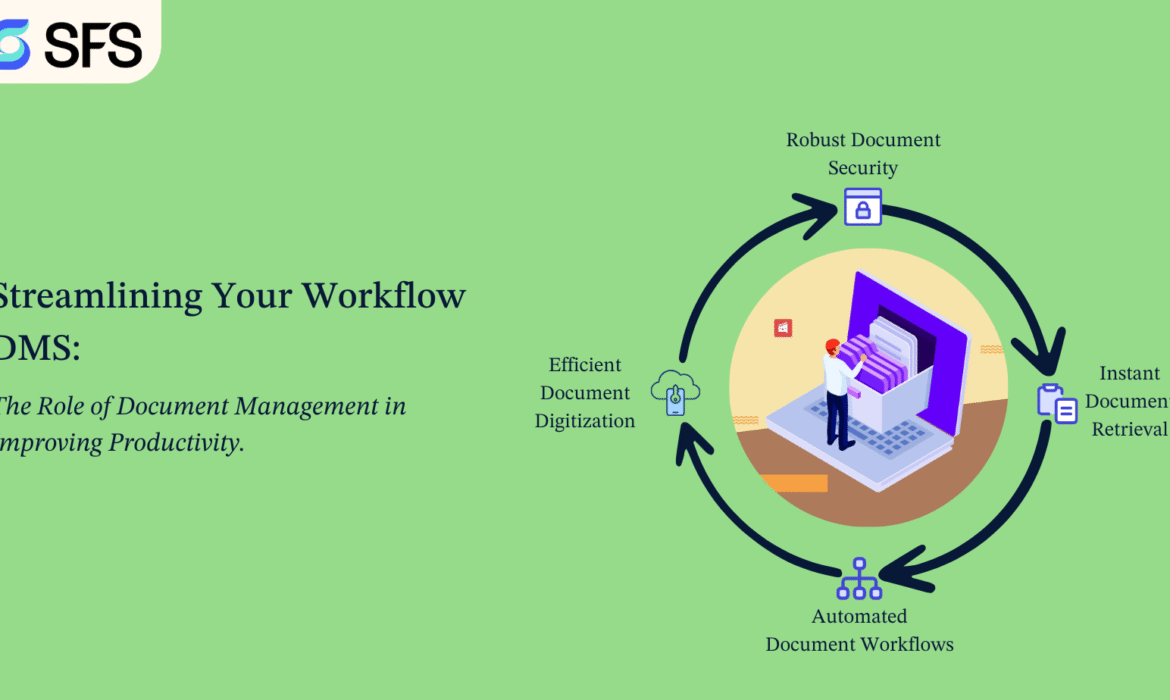
Streamlining Your Workflow: The Role of Document Management in Improving Productivity.
Introduction: It is more important than ever to manage information effectively in today’s fast-paced commercial world. Effective document management is one of the main ways that businesses may obtain a competitive advantage. The correct document management system (DMS) can greatly increase productivity by decreasing the amount of time spent looking for files, improving collaboration, and guaranteeing compliance. In this blog, we will explore how smart document management software can improve your productivity and learn how we can reduce errors. Along with this, we will also try to know how we can increase efficiency by 32% and speed up the review cycle by 23%.
What Is Document Management?
The process of electronically recording, storing, organising, and retrieving documents is known as document management. This is made possible by document management software, which provides a central location for all documents, making them safe, searchable, and accessible.
Key Productivity Benefits of Document Management:
- Efficient Document Digitization.
- Automated Document Workflows.
- Robust Document Security.
- Document Sharing and Permissions.
- Enhanced Collaboration.
- Increased Efficiency.
- Data Analytics and Insights.
Case studies: Real-world examples of businesses improving productivity through DMS.
Smart document management software is being used by businesses in various sectors to save time, reduce errors, and improve productivity. The following case studies demonstrate how these solutions improve efficiency and security:
Challenge: Managing vast amounts of technical documents and engineering drawings across multiple departments and global teams of an engineering and manufacturing company.
Solution: This company implemented an enterprise-level Smart DMS integrated with PLM (product lifecycle management) software.
Outcome:
✅ Reduced document retrieval time by 50%.
✅ Increase in efficiency 32%.
✅ Speed up review cycles by up to 23%.
✅ Cut down manual errors by 68%.
✅ Improved document processing speed by 60%.
How a well-organized document management system can save time and reduce errors.
A well-organized document management tool is essential for improving efficiency and minimizing mistakes in any organization. Here’s how it saves time and reduces errors:
- Faster Document Retrieval: Instead of manually searching through paper files or disorganized folders, users can quickly locate documents using keywords, tags, or filters.
- Choose the Right System: Look for features like search functionality, integration with existing tools, scalability, and compliance support.
- Train Your Team: Ensure that all users understand how to use the system effectively.
- Reduced Paper Dependency: No need to print, file, or scan documents manually. Eliminates the risk of losing physical documents or filing them incorrectly.
- Establish Clear Policies: Set guidelines for document naming, storage structure, access levels, and retention.
Conclusion: Going paperless is only one aspect of effective document management; another is developing simplified processes that boost output, lower errors, and empower your staff. Purchasing the appropriate document management system is a calculated decision that improves employee satisfaction and operational effectiveness.
End with a clear next step: Are you ready to upgrade your Document Management processes and take your business to new heights? Contact Smart Factory Solutions today and learn how we can be tailored to meet your specific needs. Our team is eager to provide personalized recommendations and demonstrate how our solutions can move your business forward. Contact us now and take the first step toward achieving exceptional quality and customer satisfaction.
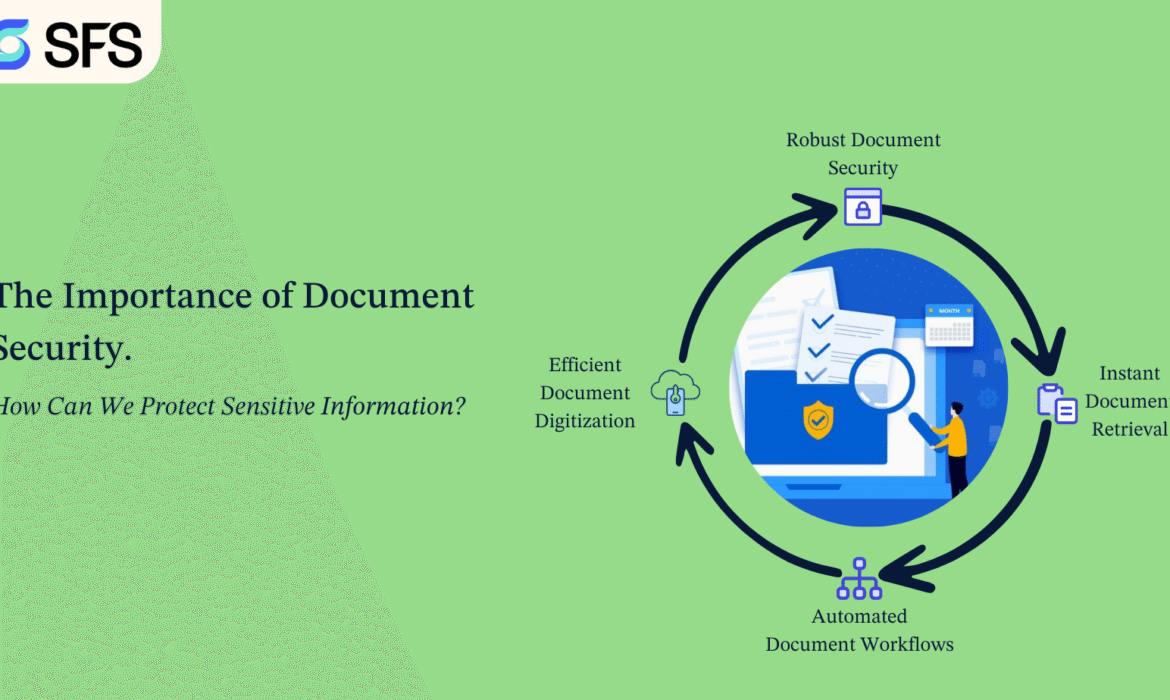
The Importance of Document Security: How Can We Protect Sensitive Information?
Introduction: Improving Security and Performance. Making the switch to digital is a progressive move. However, managing massive data can be challenging. It can lead to chaos, wasted effort, and possible security risks if left unattended. Fortunately, smart document management software has revolutionised how companies manage, organise, and access their data. Smart document management software is still unfamiliar to many firms, though. In this blog, we will explore how smart document management software can improve your document security and learn how we can protect sensitive information.
Why Document Security is Important: Protecting sensitive information from unauthorized access, theft, or loss is essential to maintaining confidentiality, integrity, and compliance with legal and regulatory standards. Here’s why document security is important and how it can be implemented effectively.
- Data breaches can result from unauthorised access to private papers, revealing commercial secrets, financial records, and personal information.
- A security breach can damage an organization’s reputation and lead to loss of trust among clients and stakeholders.
- Companies spend a lot of money creating proprietary information, which needs to be protected from theft and illegal duplication.
- Regulations like GDPR, HIPAA, and PCI-DSS, which require stringent data protection procedures, must be followed by many companies.
How Can We Protect Sensitive Information: Document security is now a major concern for both individuals and organisations in our increasingly digital environment. Here we will explain how we can protect sensitive information.
- To make sure that only people with permission can see or edit sensitive documents, use role-based access rights.
- Require strong passwords and multi-factor authentication (MFA) for access to critical files.
- Utilize encryption protocols to protect documents both in transit and at rest.
- To avoid unwanted interception, make sure cloud storage data and email attachments are encrypted.
- Store physical documents in locked cabinets with restricted access.
- Make use of cloud services that provide secure backups and end-to-end encryption.
- Put in place procedures for managing documents securely, including rules for data preservation and destruction.
- To find weaknesses and implement security measures, conduct routine security audits.
- Inform staff members about acceptable practices and the significance of document security.
- To permanently delete digital files from storage devices, use safe file deletion techniques.
The role of encryption, two-factor authentication, and audit trails in document security.
As the use of digital documents grows, it is essential to make sure they are secure. Protecting sensitive data against breaches, tampering, and unwanted access requires the use of three crucial mechanisms: audit trails, two-factor authentication (2FA) and encryption.
Two-Factor Authentication (2FA): By forcing users to confirm their identity using two kinds of authentication, 2FA offers an additional layer of protection. Usually,
- Something they know (password or PIN).
- Something they have (a one-time code sent to their phone or email, or biometric verification).
2FA enhances document security by:
- With the Preventing unauthorized access, without the second element, an attacker cannot access the document, even if their password is hacked.
- Cybercriminals need more than just login credentials to gain access.
- Cloud-based document management systems are further protected by improved remote security.
Audit Trails: Audit trails track and log all activities related to a document, including access, modifications, and sharing. They provide:
- Identifies who accessed or edited a document and when.
- Alerts administrators to unauthorized changes or suspicious activities.
- Helps organizations meet regulatory requirements by maintaining detailed records of document interactions.
Case studies on how organizations are using to protect sensitive information with smart documents management software.
Smart document management software is being used by businesses in a variety of sectors to safeguard confidential data. The following case studies demonstrate how these solutions improve efficiency and security:
Data security threats and ineffective document retrieval were problems for one organisation. They established a document management system with encryption, access controls, and frequent security audits through IT consultation and custom software development. The amount of time spent looking for files was reduced by 37% because of this campaign, and the chance of data breaches was predicted to drop by 44%.
The Numbers Speak for Themselves:
- 37% Faster Processes: Eliminate manual searches and streamline workflows.
- 70% Reduction in Errors.
- 20% Cost Savings: Cut down on unnecessary storage and printing expenses.
- 23% Faster Review Cycle.
Conclusion: Both individuals and corporations must implement strong document security methods to safeguard sensitive data. Organisations can reduce risks and guarantee regulatory compliance by putting in place access controls, encryption, safe storage, and ongoing monitoring. Data, trust, and company reputation are all protected by investing in document security.
End with a clear next step: Are you ready to upgrade your Document Management processes and take your business to new heights? Contact Smart Factory Solutions today and learn how we can be tailored to meet your specific needs. Our team is eager to provide personalized recommendations and demonstrate how our solutions can move your business forward. Contact us now and take the first step toward achieving exceptional quality and customer satisfaction.


